

Why mark an invoice as paid?
If we take care of your bookkeeping as part of your package with us, then we'll handle reconciling payments against the appropriate invoices for you.
However, if you want to take advantage of Xero's invoice reminder feature, it's important to mark invoices as paid when your customers have paid you. Otherwise, Xero may continue to send payment reminders to customers who have already paid.
How to add a payment:
Step 1 - Log in to Xero
Open your web browser and go to Xero login App.
Alternatively download the Xero app from your smartphone app store - The app works really well for invoicing your customers on the go.
- Enter your Xero email address and password.
- Click “Log in”.
If you don't currently have a Xero account - talk to us and we'll set you up.
Step 2 - Head to 'Invoices'
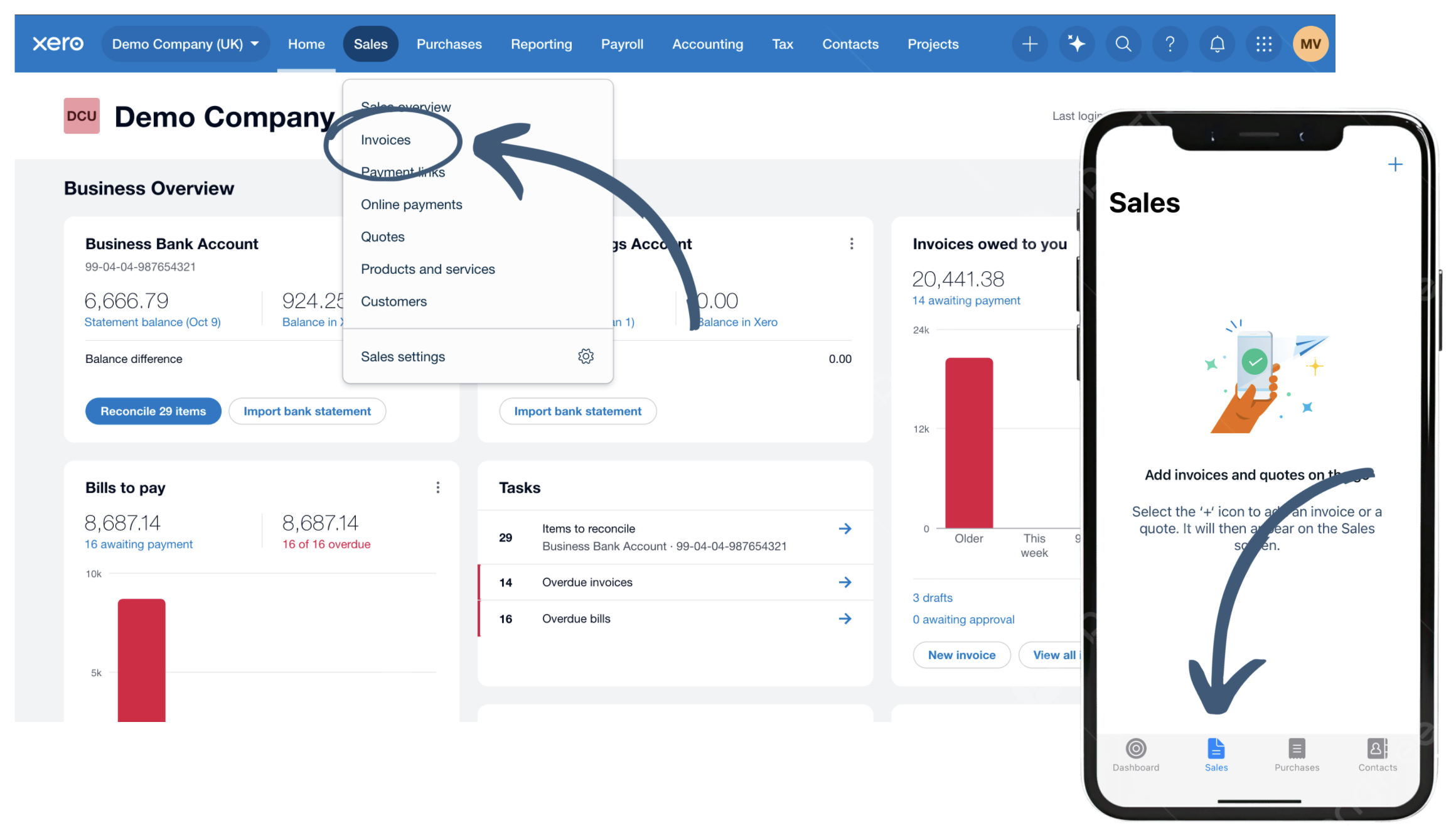
After logging in, you’ll land on the Dashboard.
In your browser:
- From the top menu, click “Sales” → “Invoices.”
On the app:
- From the bottom icons, click “Sales”
If this is your first time, you may have to configure some invoice settings - Follow the on-screen instructions.
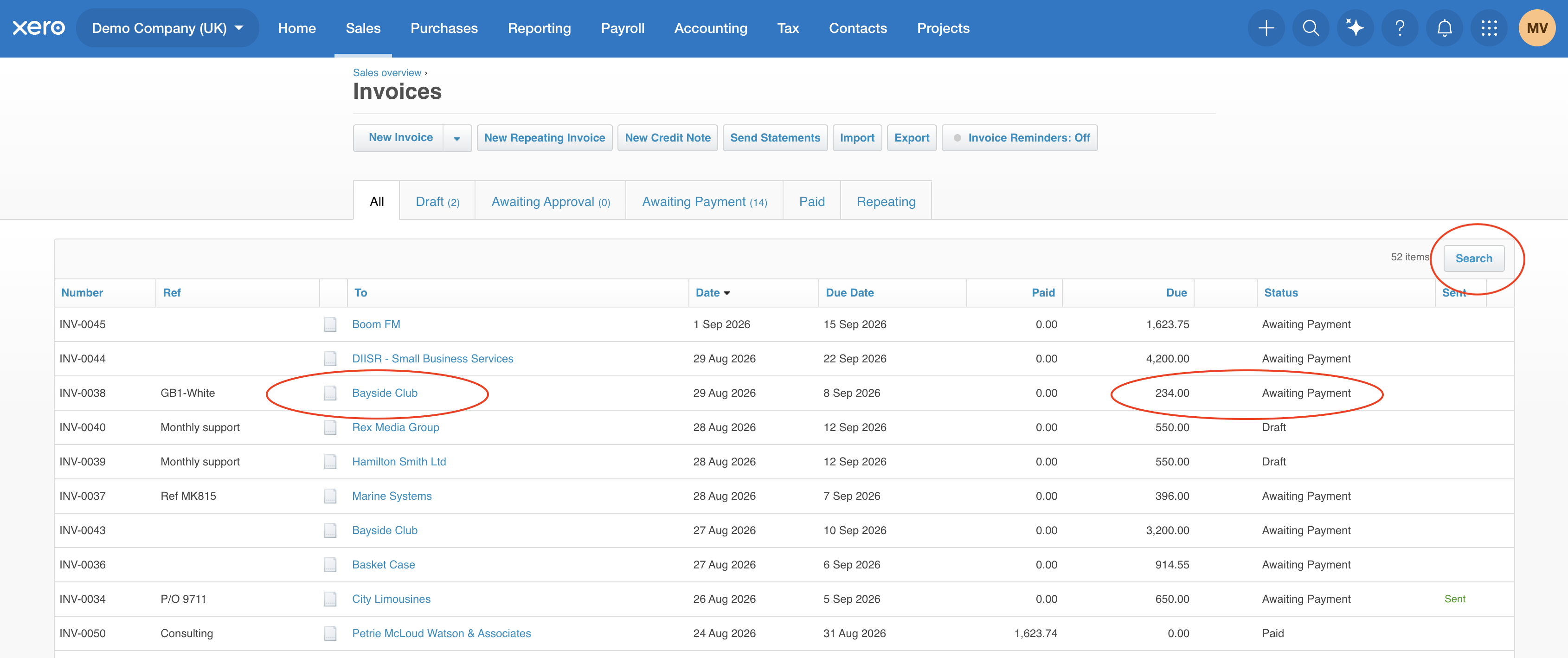
Invoice Index:
Step 3 - Find the invoice
You'll see a list of your invoices.
Find the invoice you have received payment for. You can use the search or filter options to help you find it.
Click on the invoice to open it.
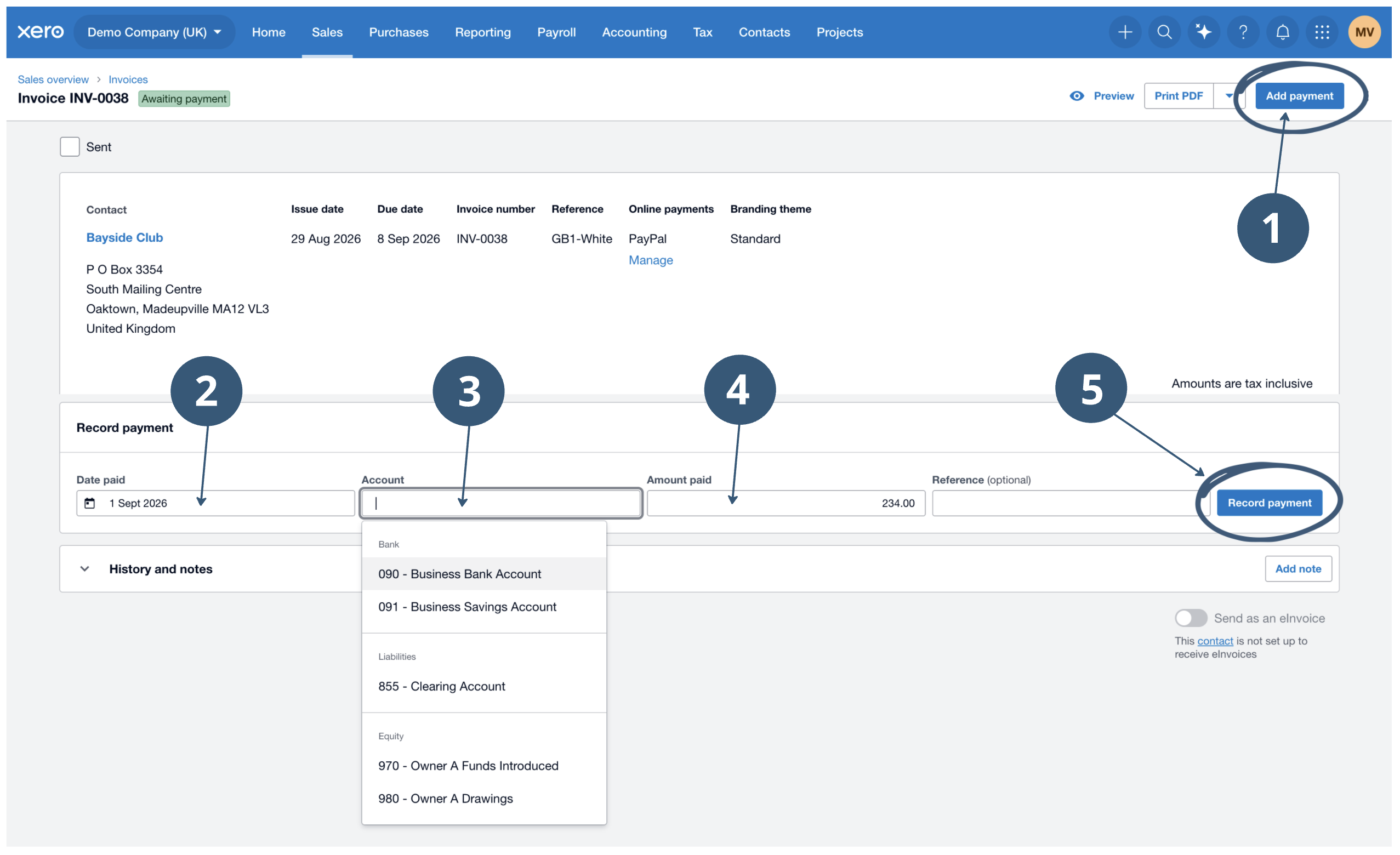
Adding Payment
Step 4 - Add the payment
Once you have opened the invoice, click Add Payment.
Step 5 - Enter the payment details
Enter:
- Date paid - the date you received the payment - ensure this is the date that the amount hit your account
- Paid to - select the bank account the payment was made into
- Amount paid - the amount your customer has paid
Then click Add Payment.
Step 6 - Check the invoice status
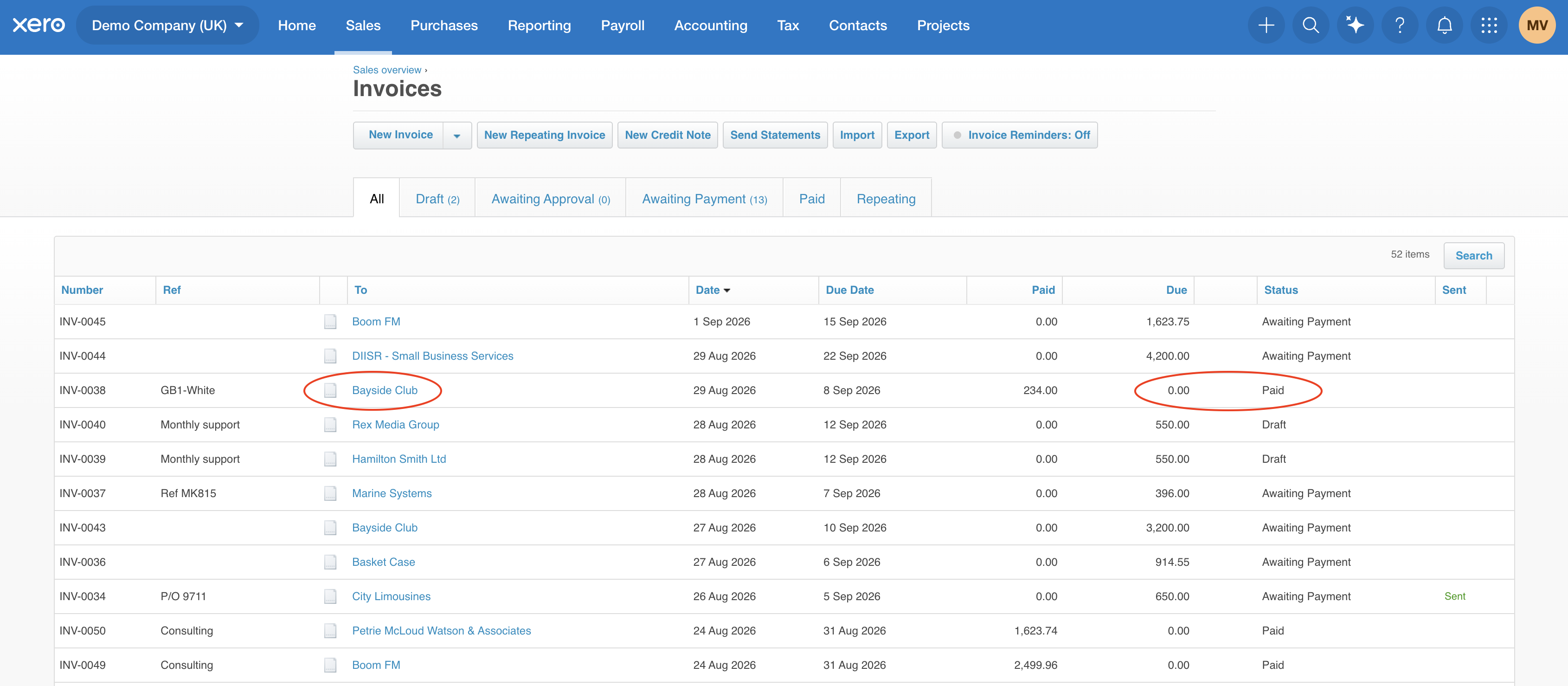
The invoice will now show as Paid.
You can return to Sales → Invoices at any time to see which invoices are awaiting payment, overdue or paid.
Top tip: Keep your invoices updated as payments come in. This will help you keep track of outstanding amounts and make sure your customers only receive invoice reminders when they are actually needed.
Frequently Asked Invoicing Questions
Enter the amount they have actually paid when adding the payment. Xero will show the remaining balance as outstanding.
You can record the payment against the relevant invoices. Make sure the amounts allocated to each invoice match the payment you've received.
You can remove or edit the payment from the invoice. This will return the invoice to its outstanding status.
Not if you don't want to. If we take care of your bookkeeping, we'll reconcile payments against your invoices for you. You only need to mark invoices as paid yourself if you want to keep Xero's invoice reminder feature up to date between bookkeeping periods.
It's likely you don't have the appropriate permissions in Xero. Get in touch with us and we'll be happy to help.
Let's talk numbers. Get in touch.
You didn’t go into business to battle tax returns, juggle receipts, or second-guess your bookkeeping. That’s where we come in.
At Simply Accounts, we help business owners like you stop worrying about the numbers and get back to doing what you do best. Whether you need support with payroll, tax planning, or everyday bookkeeping—we’ve got your back.
Have a question? Need advice? Want to chat about how we can simplify your accounts?

Helping businesses breathe easier since 2014
“I have been with Simply Accounts and Mike for several years now and I highly recommend them. Mike is so helpful and always at the end of the phone or email to explain things to me. A great company!”
Kate Burke
Kate’s Day Nursery Ltd
“Been dealing with Mike for 5 years now. So glad we have an accountant who takes the time explaining things in a language I understand. Very efficient and very reliable. I would recommend Simply Accounts.!”
Leah Jones
Northwest Transport Solutions Ltd
“I would highly recommend Simply Accounts - professional, thorough and approachable. The support from Mike and his team has always been fantastic, but during this period of Coronavirus they have been just awesome. Always there with advice and guidance when our businesses have been in real need of support.”
Pam Bellingham
Radiate Arts CIC
“Mike is the first accountant I have come across who speaks a language I understand! He is friendly, straightforward and user friendly! His fees do not fill me with dread and I feel confident to ask his advice informally without worrying that this will ramp up the charges.”
Carol Moore
Carol Moore Associates Limited
“We moved over to Mike at Simply Accounts last year. The advice we get is clear and effective, communications are easy to understand and really helpful. Fee-wise, we are really happy. The direct debit option helps spread the cost and we don't get charged every time we phone for advice, which has been a lot during the Covid outbreak. We cannot recommend them enough!”
Matt Cooper
Car Clinic MOT Centre, Ellesmere Port
“After leaving my previous accountant to join Simply Accounts, I cannot fault them. Mike, Sandy, Matt & the team have been exceptional from the start. They go above and beyond in assisting whatever needs you may have, always make time for you and make you feel a welcome client. Really good service and company!”
Luke James
Forward Building Solutions Ltd
Real people. Real support.
Not sure where to start with your accounts? Whether you're a sole trader, a growing limited company, or managing multiple properties, our friendly team is here to make things simpler.
Let’s Talk About Your Business
-
A quick, no-pressure chat with one of our expert accountants.
-
A chance to talk through your current challenges and goals.
-
Tailored advice on how we can support you from bookkeeping to tax.
-
Clarity on next steps, with zero jargon or hidden costs.
Ready to take the first step? Book your free call now.