



Step 1 - Log in to Xero
Open your web browser and go to Xero login App.
Alternatively download the Xero app from your smartphone app store - The app works really well for invoicing your customers on the go.
- Enter your Xero email address and password.
- Click “Log in”.
If you don't currently have a Xero account - talk to us and we'll set you up.
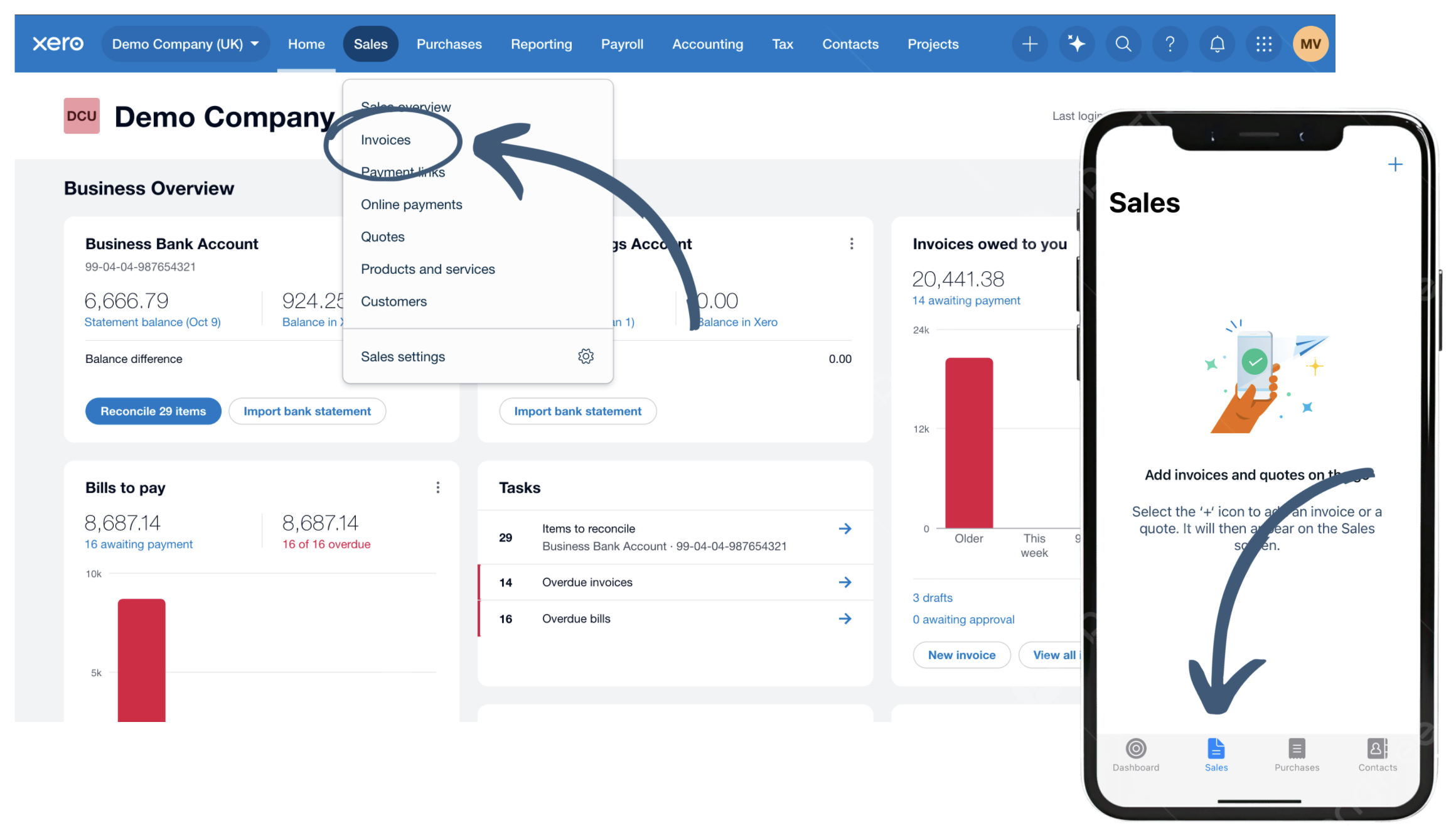
Step 2 - Head to 'Invoices'
After logging in, you’ll land on the Dashboard.
In your browser:
- From the top menu, click “Sales” → “Invoices.”
On the app:
- From the bottom icons, click “Sales”
If this is your first time, you may have to configure some invoice settings - Follow the on-screen instructions.

Step 3 - Create New Invoice
To create a new invoice:
In your browser:
- Click 'New Invoice'
On the app:
- Click the '+' icon at the top right and select 'Create Invoice'.
Did you know: You can start invoices in your browser, and later pick them up from the app.

Step 4 - Building Your Invoice - In Your Browser
1. Enter a contact
Select an existing or enter a new contact - Xero will save all contacts.
2. Enter a description
Describe each of the items you have added to your invoice to help your customer understand what you are charging them for.
3. Add your price
Did you Know: You can add as many rows as you need to itemise your invoice.
4. Select an account category
You can use separate sales line lines if you want to track different streams of income. When this invoice is paid, the sales will be automatically coded to that line on your P&L account. Ask Us if you would like help setting this up.
5. Select a tax amount
It's important you account for VAT correctly. If you are not VAT registered, this will always be 'No VAT'. If you work in construction and need help with reverse charge VAT or CIS, check out our handy guide on building construction invoices in Xero.

Step 4 - Building Your Invoice - In the Xero App
1. Enter a contact
Select an existing or enter a new contact - Xero will save all contacts.
2. Add an Item
Add all items you want to include in your invoice - You can add multiple lines with separate prices if you want your invoice to be itemised.
3. Enter a description
Describe each of the items you have added to your invoice to help your customer understand what you are charging them for.
4. Select an account category
You can use separate sales line lines if you want to track different streams of income. When this invoice is paid, the sales will be automatically coded to that line on your P&L account. Ask Us if you would like help setting this up.
5. Select a tax type
It's important you account for VAT correctly. If you are not VAT registered, this will always be 'No VAT'. If you work in construction and need help with reverse charge VAT or CIS, check out our handy guide on building construction invoices in Xero.
Step 5 - Send your invoice
You can send your invoice as an attachment in an email, or generate a link for your customers to view online. You can then share this link by email, text or WhatsApp.
In your browser:
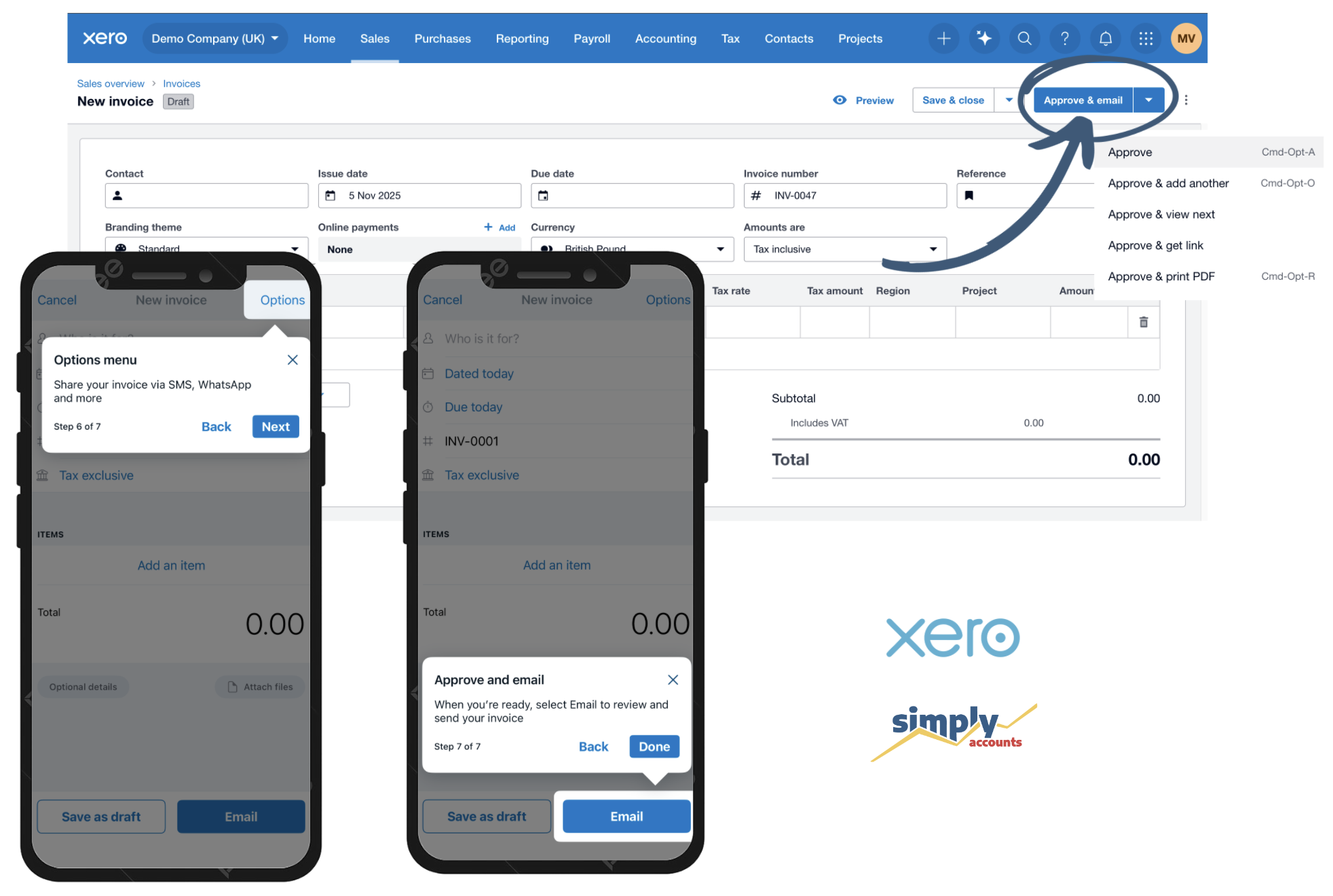
- At the top right, click “Approve & Email” or use the dropdown for more options.
On the app:
- Click “Email” at the bottom to send directly by email, or use the "Options" button at the top to generate a link or send via SMS.
Don't Forget - You need to include your payment details on your invoice your customers know how to pay you.
Let's talk numbers. Get in touch.
You didn’t go into business to battle tax returns, juggle receipts, or second-guess your bookkeeping. That’s where we come in.
At Simply Accounts, we help business owners like you stop worrying about the numbers and get back to doing what you do best. Whether you need support with payroll, tax planning, or everyday bookkeeping—we’ve got your back.
Have a question? Need advice? Want to chat about how we can simplify your accounts?